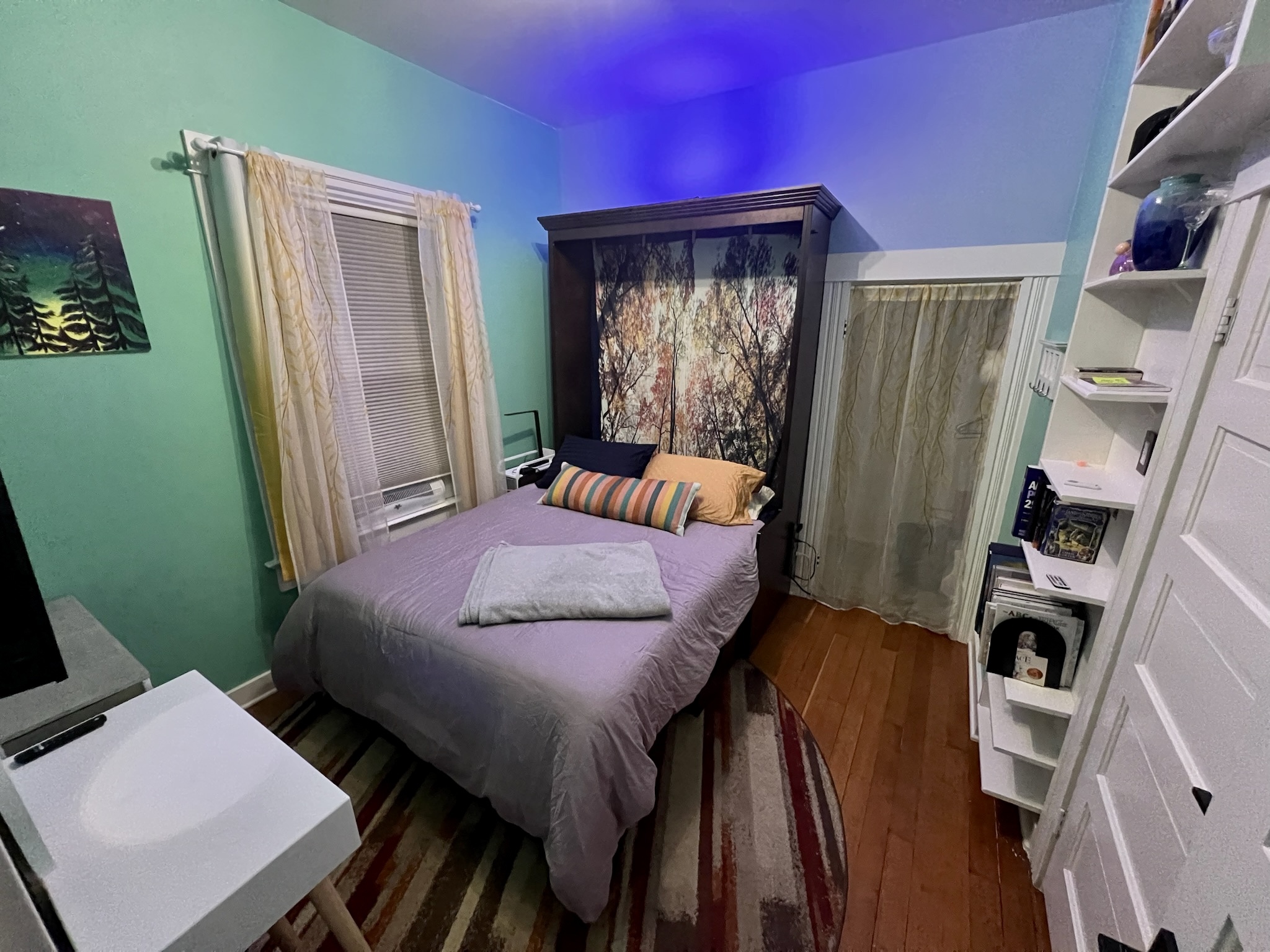
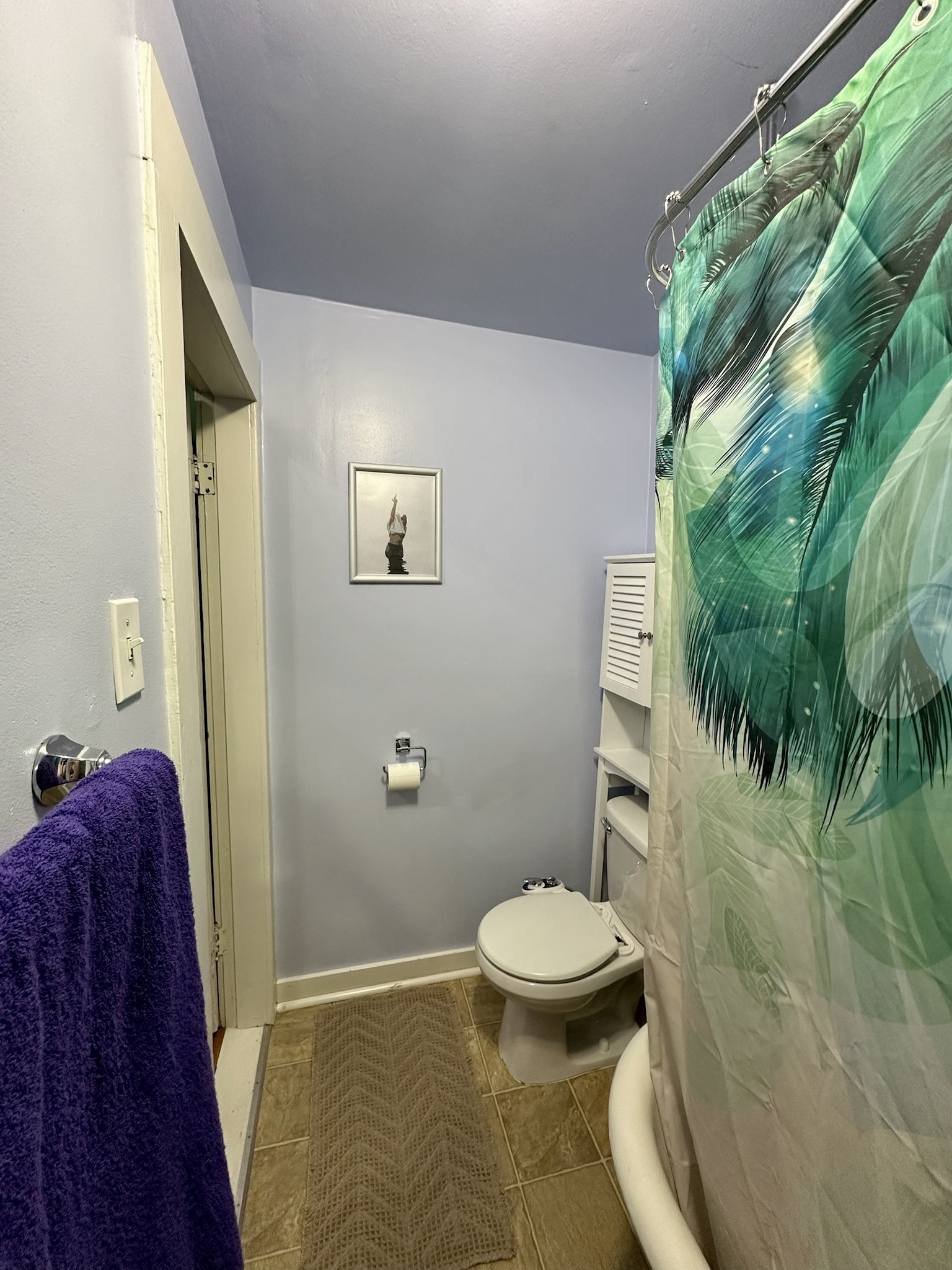
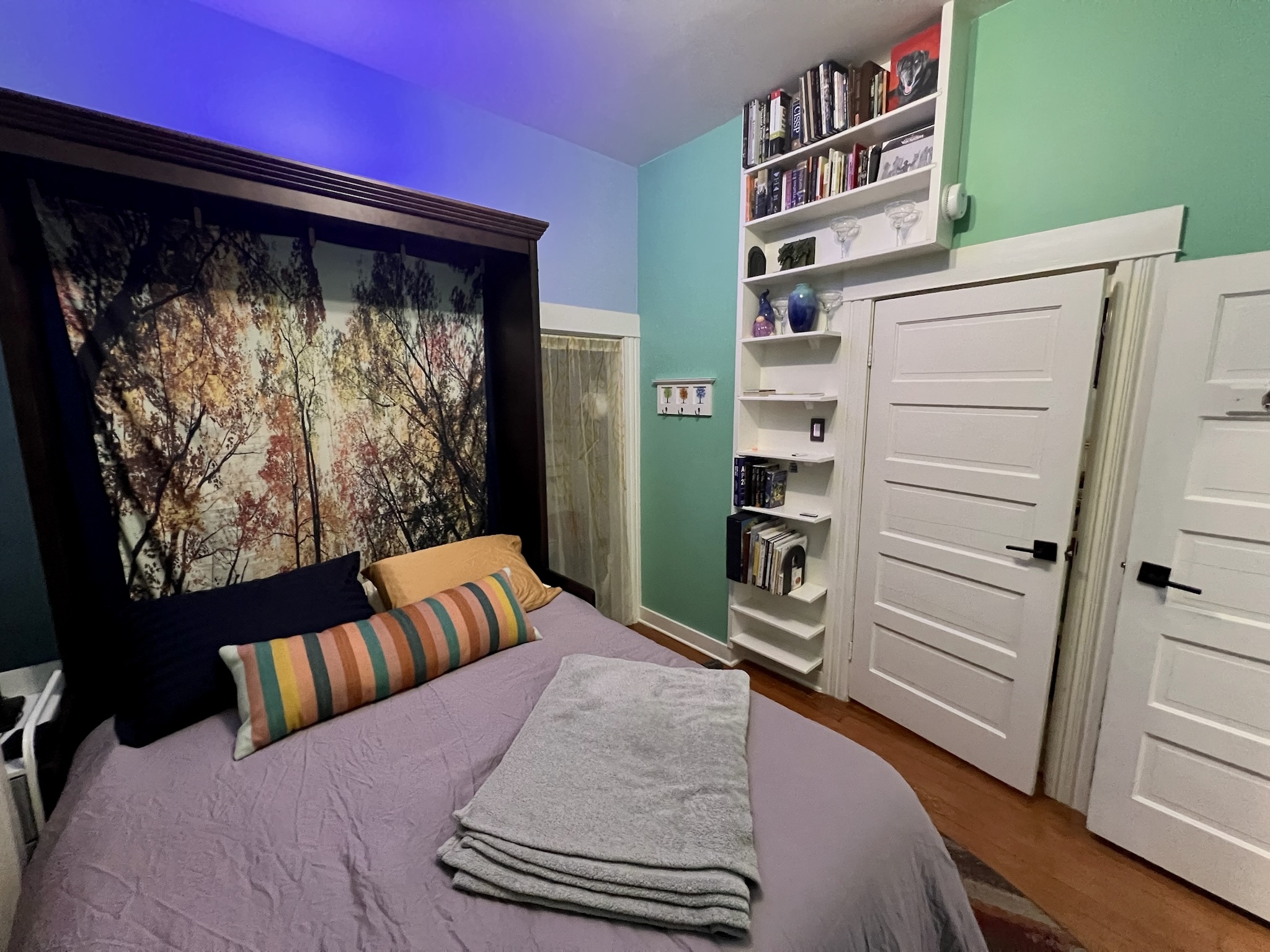
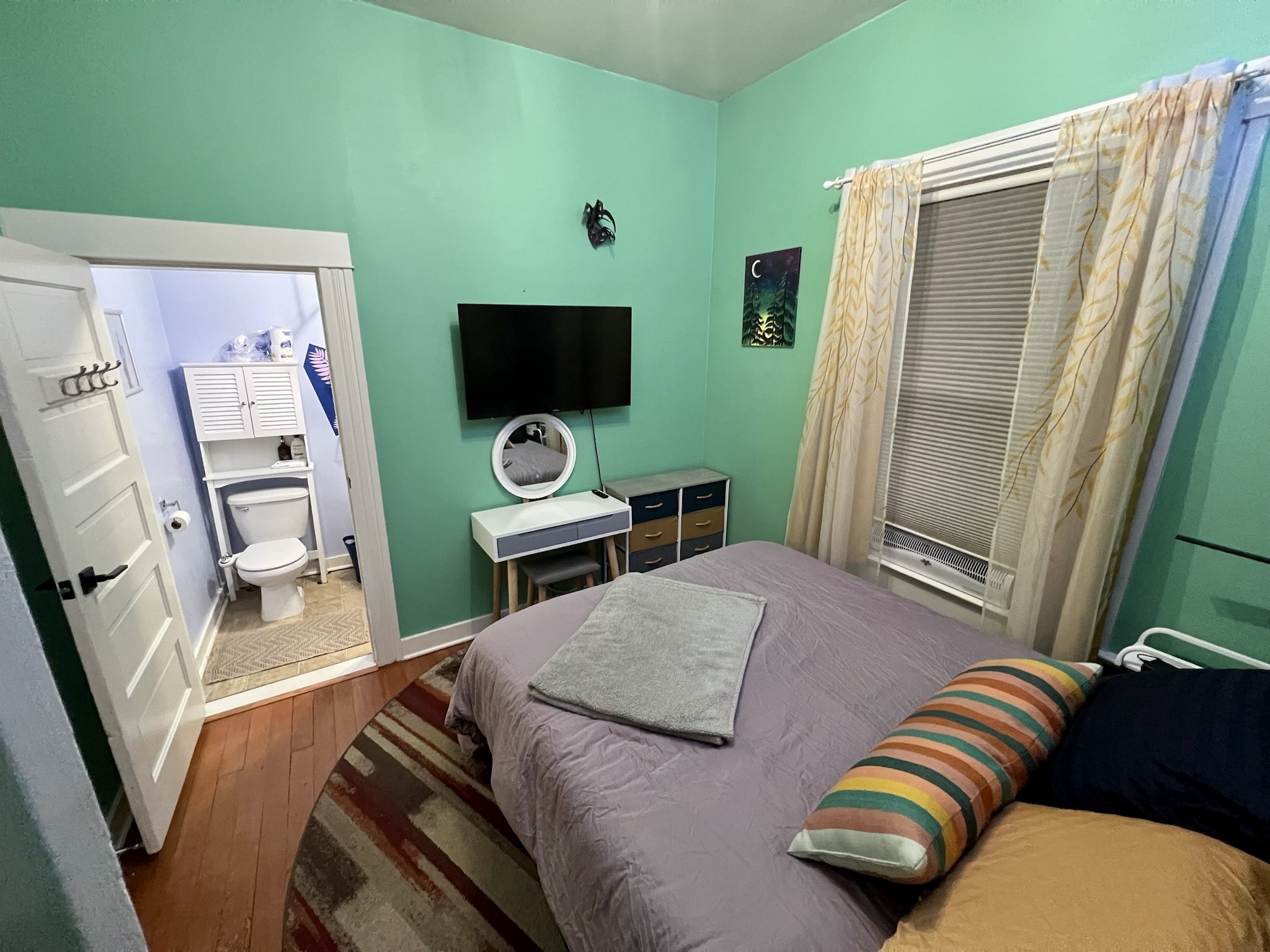
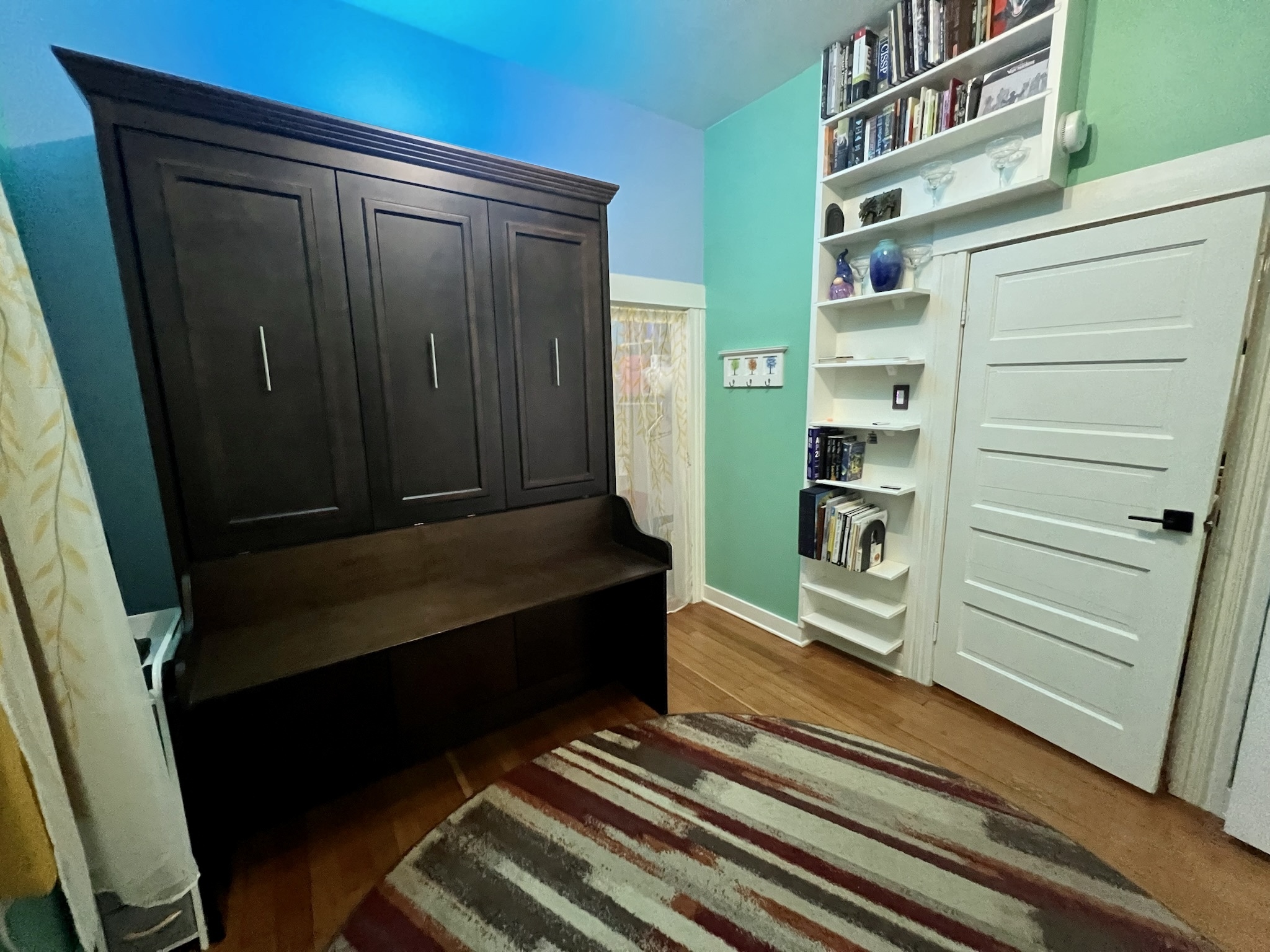
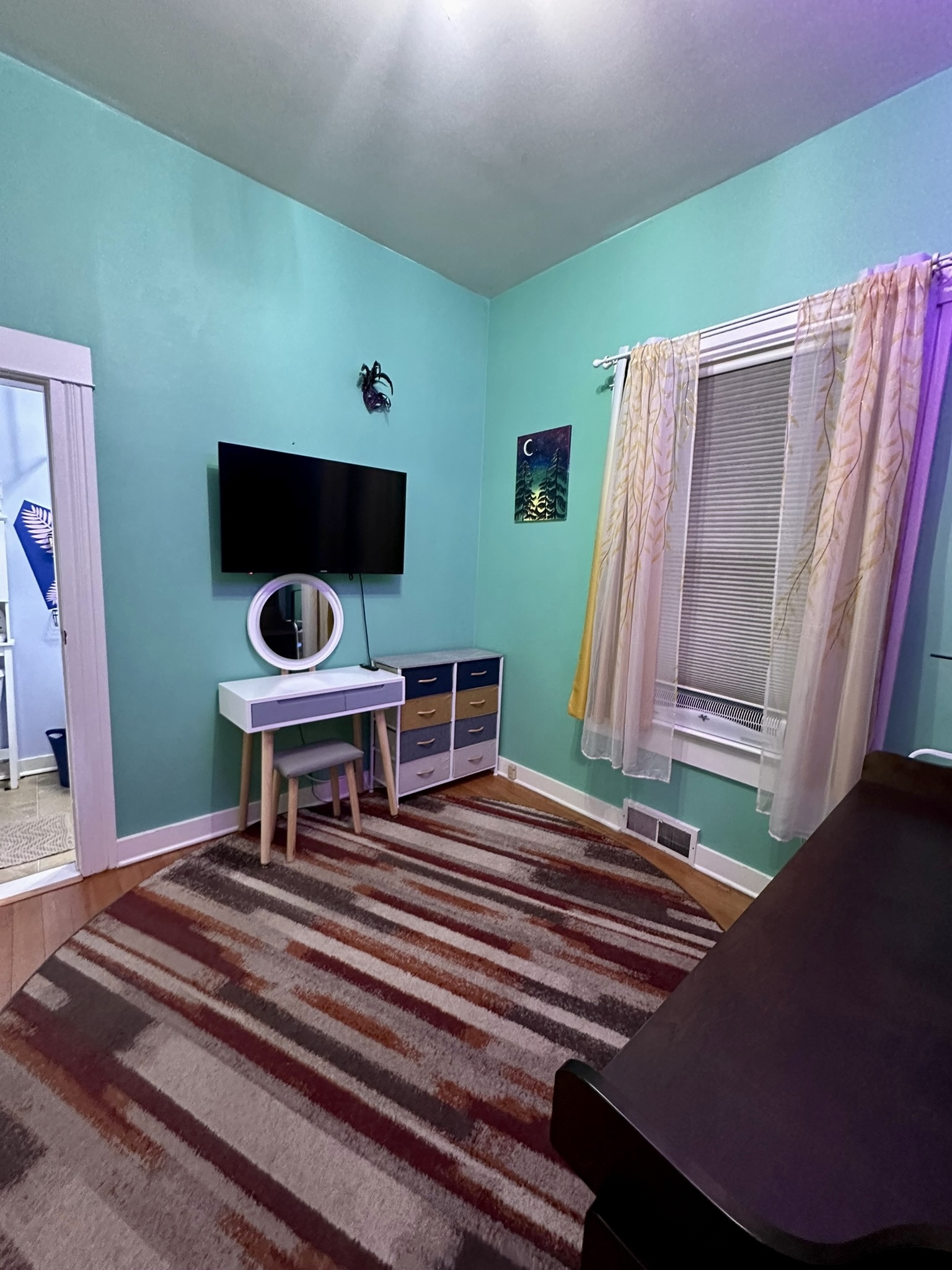
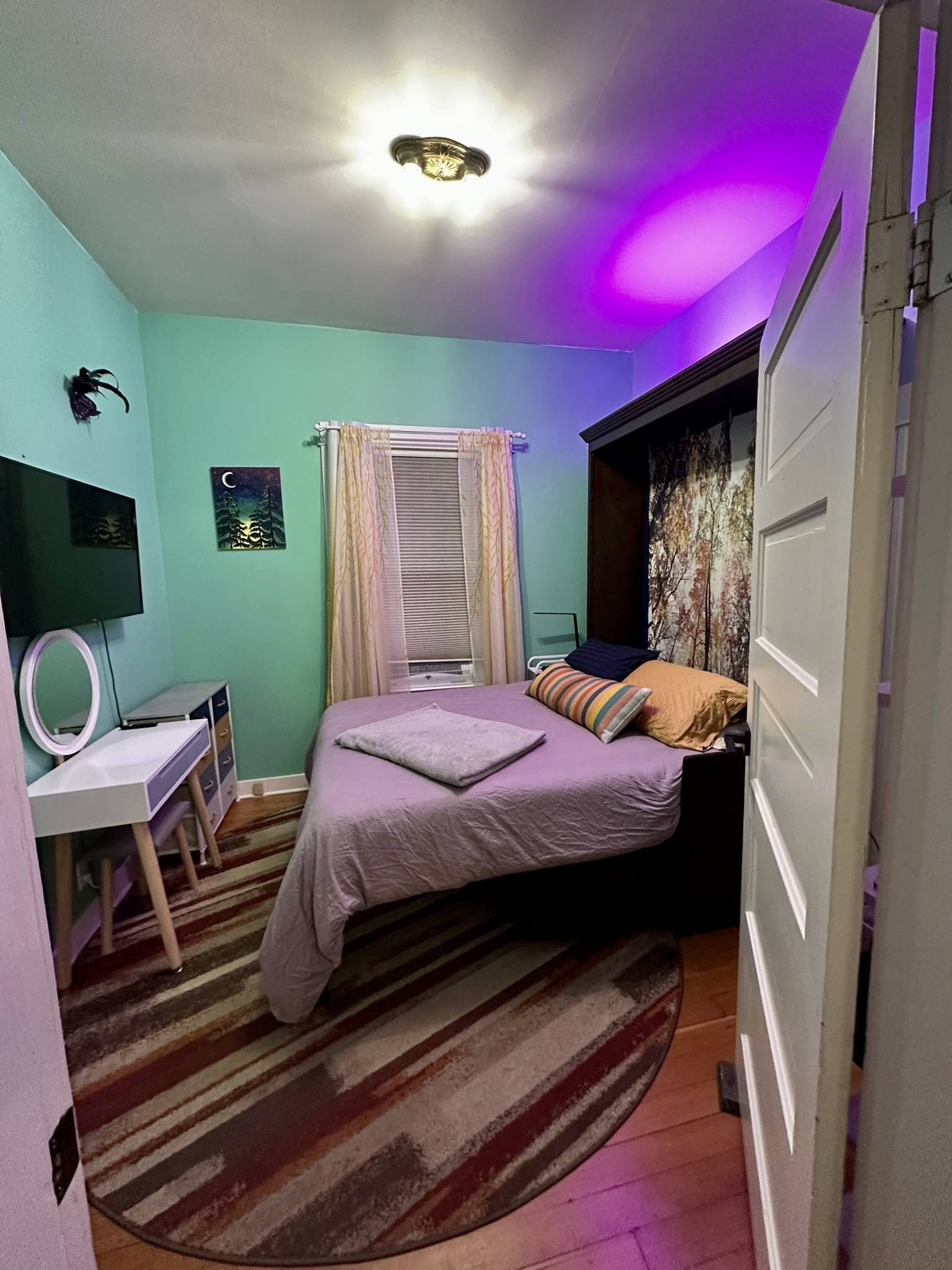
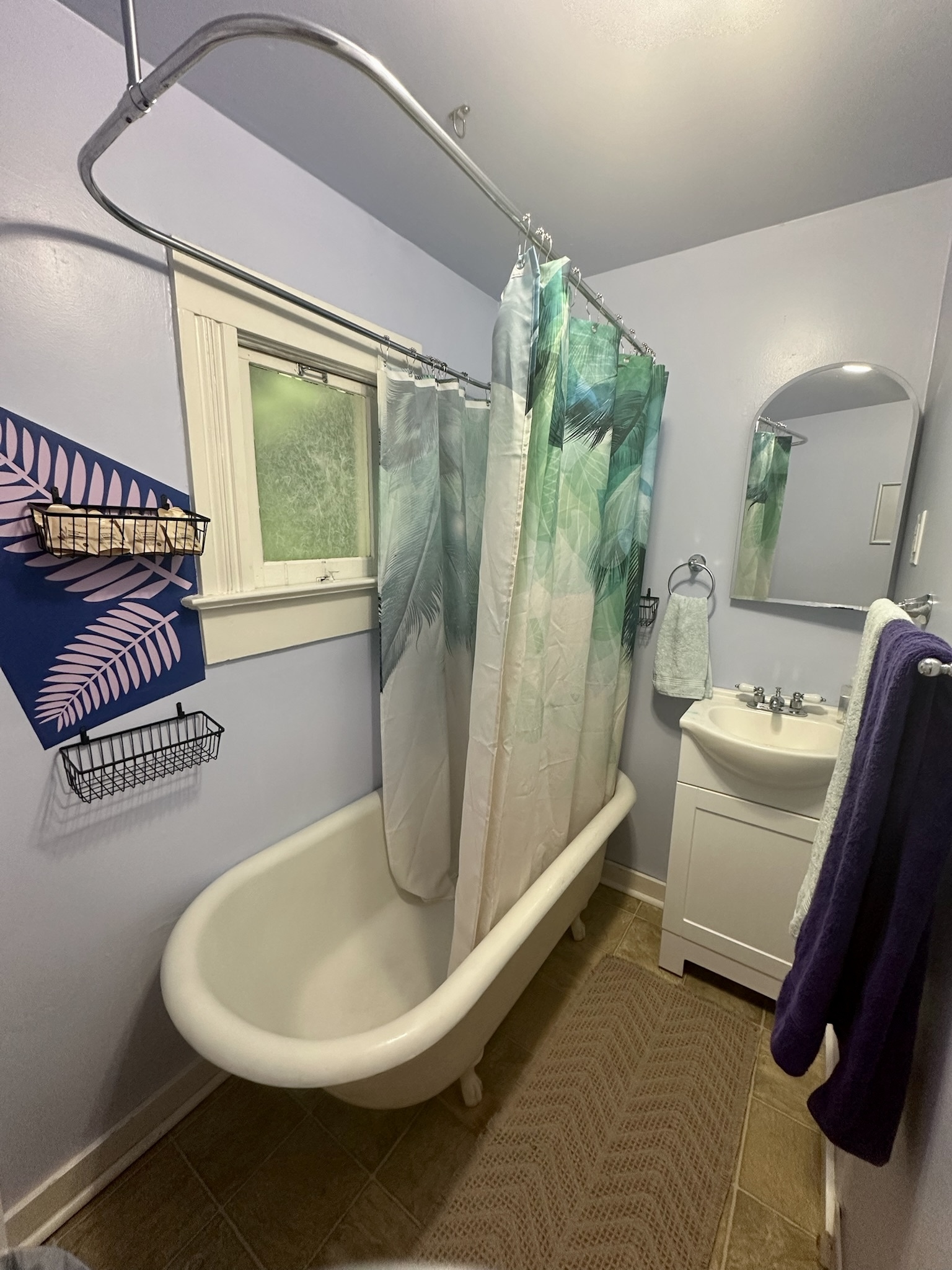
The Room @ 4114 contains one queen bed which can be lifted to create a workspace. The connected, dedicated bathroom includes a claw foot tub and bidet
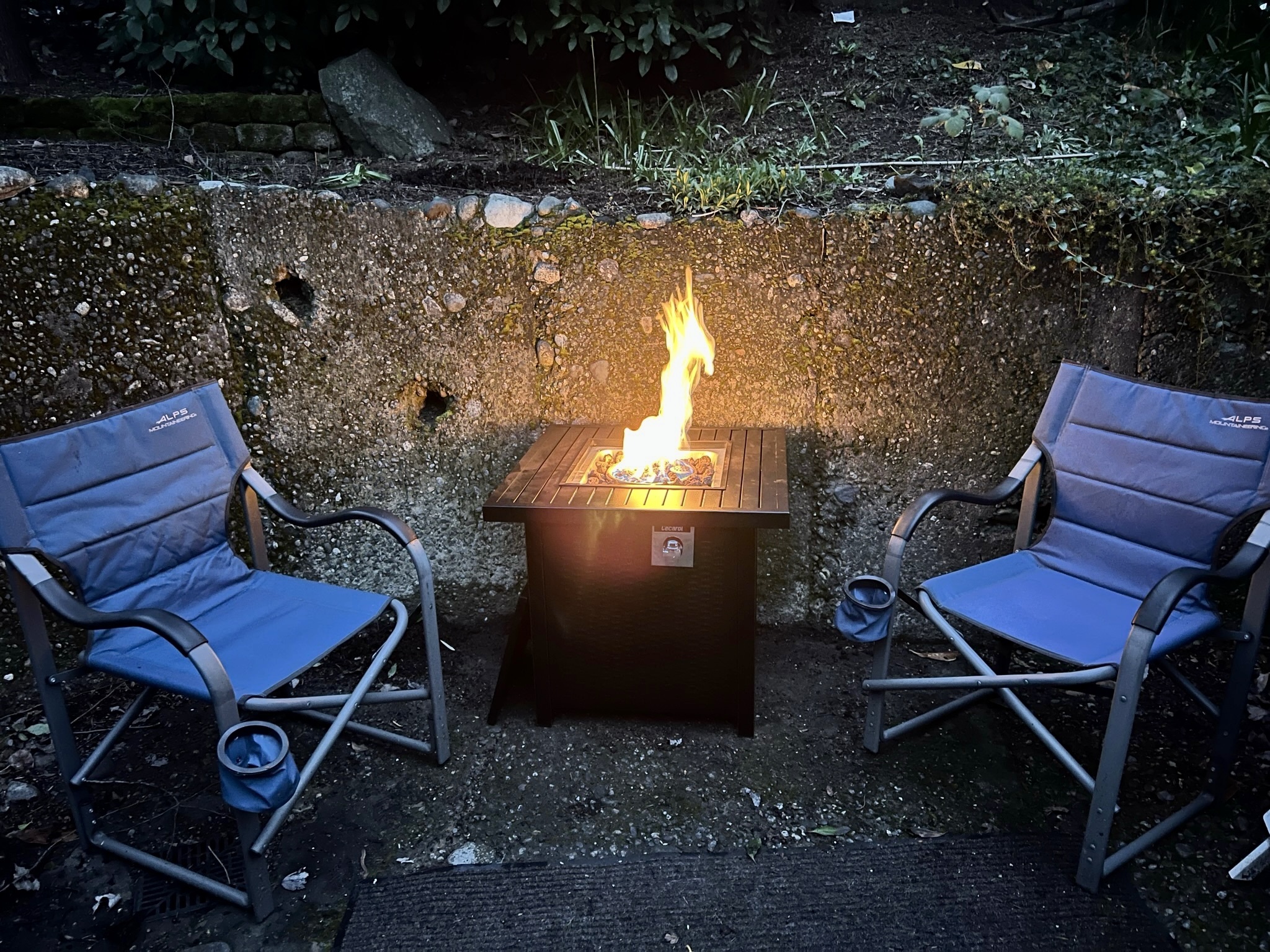
You’ll have access to shared spaces including a full kitchen, a living room with projector, and the back yard with fire pit. For details see the House Manual section below
This is a room in my house. Most of the time me, my spouse, and our large dog will be in the house. Dog likes people but not other animals
Due to city of Seattle of Seattle licensing requirements I must provide bookings through a service like AirBnB or Booking.com, at least until I can figure out how to get $1M in liability insurance for a good price
House Manual
Access
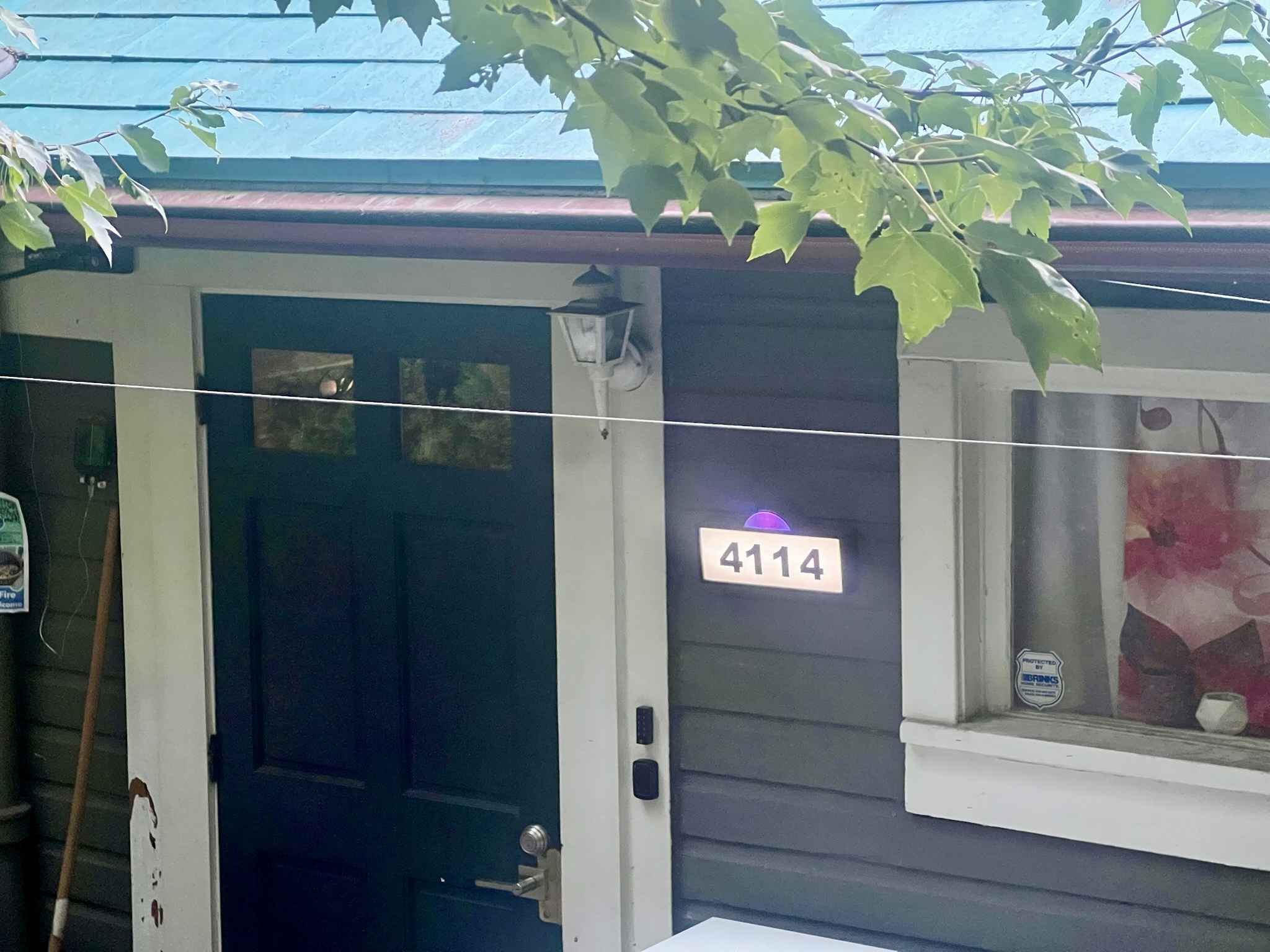
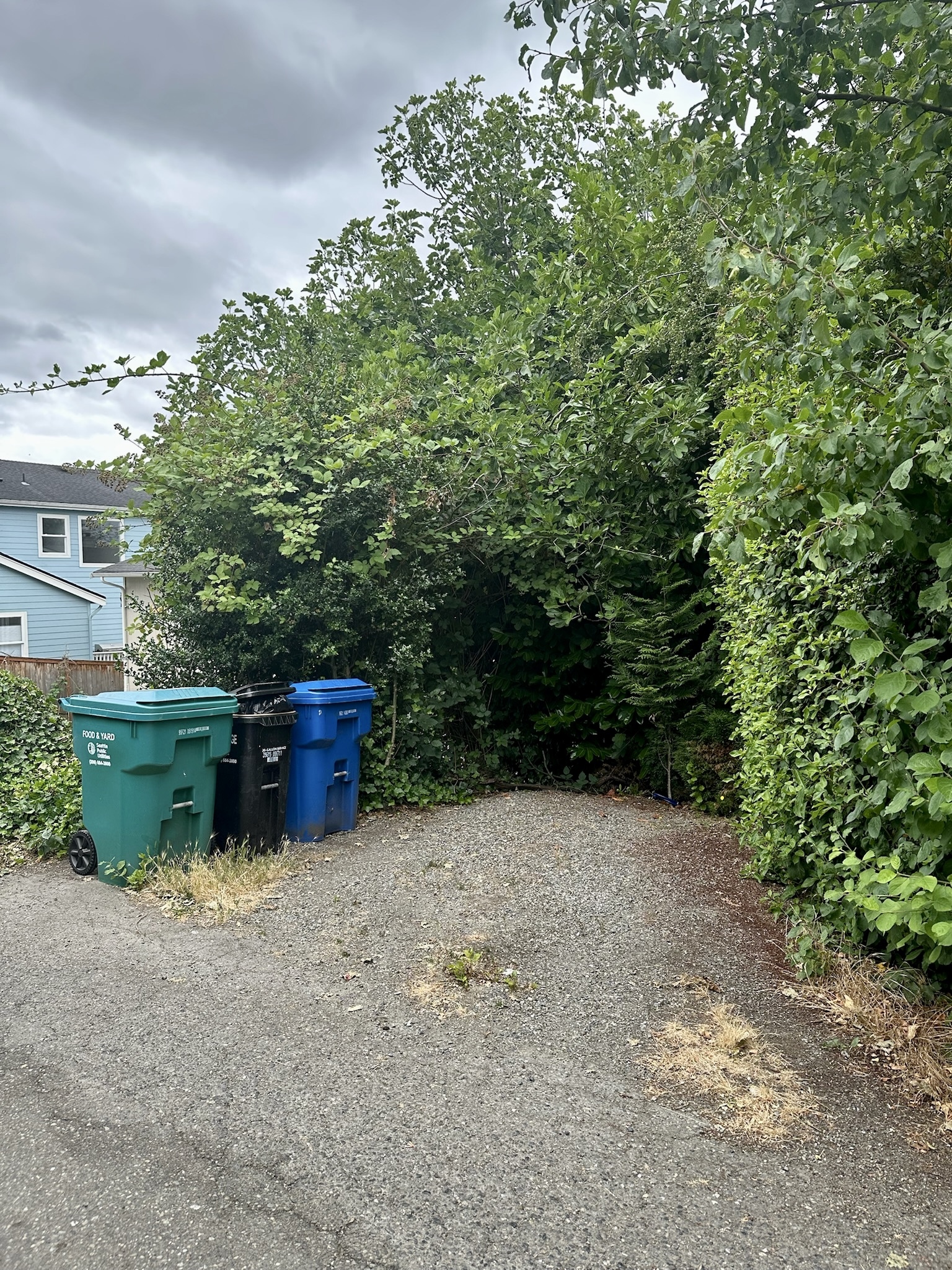
Enter the alley between 38th Ave S and 39th Ave S from the South Dakota (north) end of the block. At our rear staircase you will see a large “Fire” sign and a smaller lighted sign that reads “4114”
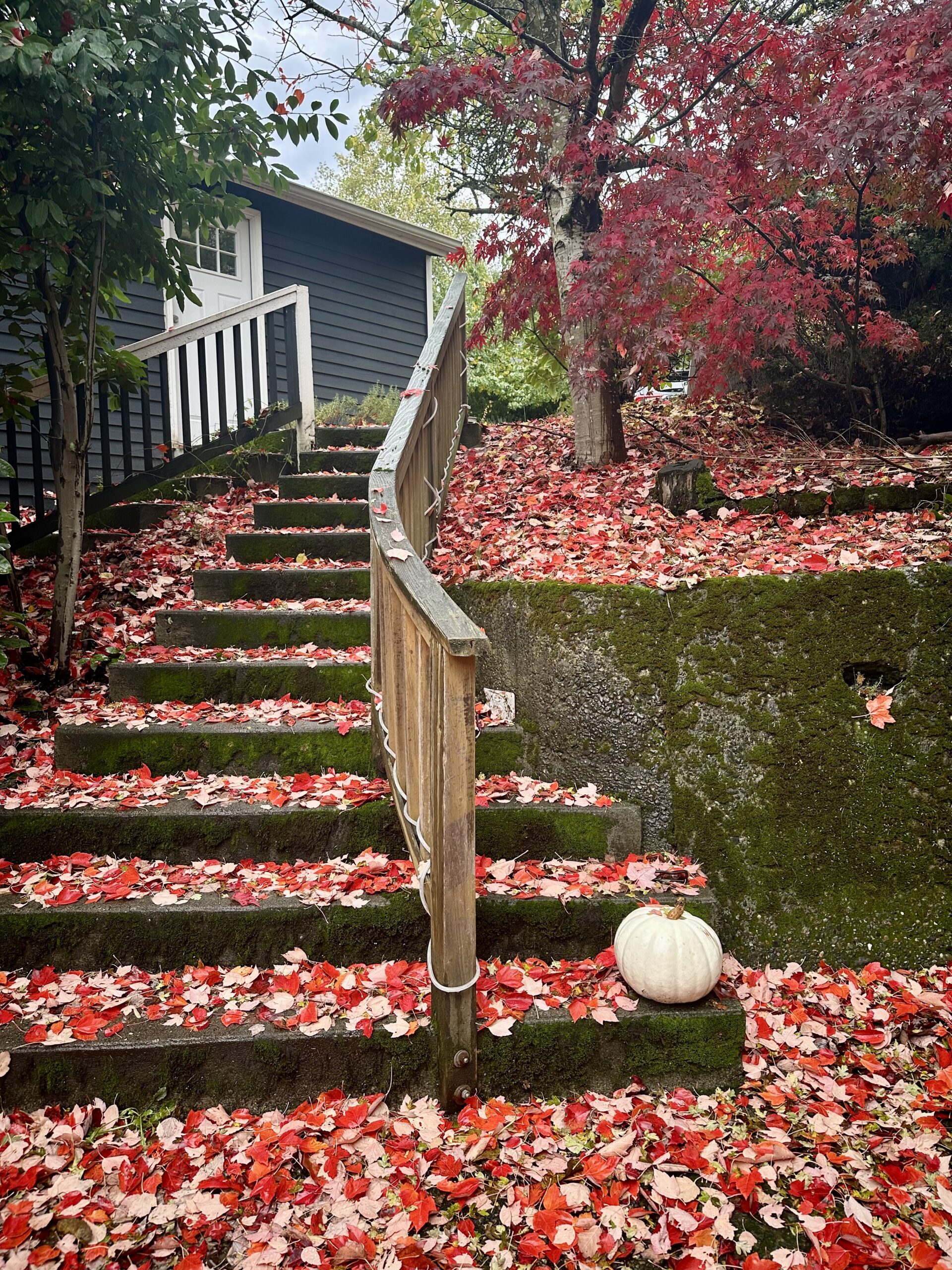
In the front you’ll find a curving staircase to the sidewalk with a mailbox and lighted sign that both read “4114”
For details about public transit, parking, or other transportation see entries in the Transportation section below
The front and rear exterior doors both have keypads next to them on the wall. Type your code there and press the enter key at the bottom
If you enter the wrong code the keypad will buzz at you. Wait for the lights to turn off (a few seconds) and try again
Both exterior doors lock automatically after a short delay. Be sure you have your door code when you leave. To lock the doors immediately press the enter button on the keypad
To leave from inside turn the large black knob to unlock the deadbolt
Physical keys are available upon request, if you’d prefer not to use the keypad. A physical key is also available for your interior room lock
4114 38th Ave S
Seattle, WA 98118
Longitude: -122.284527°
Latitude: 47.565643°
Appliances
We have a 4-burner gas cooktop. Some of the burners work better than others; the left-front burner is usually easiest to use
To light a burner press the knob down and turn it all the way to the end stop. This will enable full gas flow and activate the ignitor, which you can hear rapidly click. After a second or two the flame should catch and light the burner, after which you can set the gas level as desired
When done turn the knob all the way back off
When using the front-left burner the exhaust fan will automatically activate. To activate it manually use the toggle switch near the gas knobs
We have a dishwasher next to the sink. All of our dishes, pans, etc. are dishwasher safe. Please try to load your own dirty dishes; you do not have to run the dishwasher, but are welcome to do so
To run the dishwasher first find a soap tablet in the bag under the sink. Install the soap tablet in the soap dispenser on the door of the dishwasher and close the dispenser. Then close the dishwasher door until it latches and press the “Start” button twice (slowly) to begin a cycle
Very sharp. Do not hurt yourself
There is a hot water kettle on the counter in the pantry. Add water at least to the minimum line indicated on the kettle. Place the kettle on the base and plug in the base. Press “Power” to turn the device on. Press “Prog”, then use the “Temp” button to select the desired temperature, and then press “Prog” again. The kettle will begin heating immediately, will beep when it reaches temperature, and will maintain temperature for about 15 minutes before turning off automatically
We have a large, 1100W inverter microwave. To turn at full power simply enter a time with the keypad and press “Start”, or use the +30 button
To run at reduced power first press “Power Level”. Each press reduces power by 10%; press the button 3 times to run at 70% power. After setting the power level enter a time or use the +30 button as usual
Other useful buttons include the “Sensor Reheat” button, which heats your food until it is steaming (uses a water phase detector to sense steam), and the “Popcorn” button which has a good guess about how long to cook microwave popcorn
When done press “Stop” or open the door to turn off the microwave
We have a gas oven with touch controls. Set a baking temperature by pressing “Bake Temp”, then turn the dial select the desired temperature. Once the correct temperature is displayed wait a couple of seconds for the oven to beep and start heating
The oven also has a broiling mode, which cooks with flame from the top down instead of via ambient/bottom heat. It can be used in much the same way as an (upside down) grill. To use this mode press “Broil” and then select “Hi” or “Lo” using the dial. Once the correct setting is displayed wait a couple of seconds for the oven to beep and start heating
When done press “Stop | Clear” button to turn off the oven
We have a full-size refrigerator and freezer that you may use to store food or medicine. We will leave your items alone and ask that you do the same for ours
Feel free to use condiments from the fridge including mayo, mustard, BBQ sauce, horseradish sauce, tartar sauce, hot sauce, etc. Most of these are available in one of the lower two drawers of the fridge
This machine is in the lower cabinet right of the microwave
Please use only silicone spoons in the rice cooker bowl. Metal utensils will damage the bowl
Press the front button to open the lid and reveal the cooking bowl
The bowl has indented graduations on the inner edge that are marked in “cups” of rice. These not US imperial cups, they are about 3/4 of a US cup (about 6 fl oz)
This machine will cook up to 6 rice-cups (about 4.5 US cups) of dry rice, which would completely fill the bowl once cooked. Keep track of how many rice-cups you add then fill with water up to the matching line on the bowl’s inner edge
This machine has a lot of options, but under most conditions you just want to press “Start” and let it go. This will boil and then steam your rice (or any other very wet food) under mild pressure, adjusting cooking time automatically. It will beep when it’s done, and then keep it the food inside warm and at safe temperatures for up to 24 hours
There is a toaster on the counter in the pantry. Just plug it in and turn the bottom dial to select the cooking time/doneness. Please unplug the toaster when done
Bathroom
Body gel, shampoo, conditioner, and body lotion are provided in small packets on the shower wall. More are available if you run out
To activate the bidet pull up on the main handle just like a faucet
The twist control selects between two different nozzles with slightly different aim
This bidet does not have hot water so the temperature control has no effect
If you activate the bidet with nothing over the toilet it will spray water out into the room
The bathroom light switch is located just inside the door. It is an on-off switch if you single-click, or a dimmer if you press-and-hold. It will remember the last dimmer setting when turned off and back on
If the bathroom light is flashing rapidly (rave mode) it has lost its settings. It can be returned to normal operation by turning the light off then using three clicks of the top button in a tap-tap-hold pattern. After holding for a couple of seconds the indicators on the switch will illuminate and the overhead light should return to normal (non-rave) operation
On the wall near the sink you’ll find a GFCI socket that can provide up to 15A of AC power
When using the shower please be sure the shower curtain is inside the tub and positioned to catch any overspray
Because this house is from 1906, water that misses the tub or otherwise gets to the floor will end up along the wall next to the toilet. If you notice water there let us know and we’ll get it cleaned up
Additional toilet paper is on top the cabinet over the toilet. It is available in two different styles; feel free to pick your favorite. Let us know if you need more
Additional towels and washcloths are in the cabinet over the toilet. Let us know if you need more
Plugs for the tub drain are in the cabinet under the sink
When drawing a bath remember that tub itself is a large piece of metal and is at about 30 degrees cooler than a warm bath; it will absorb a lot of heat from the water
The window opens upside down, into the wall. It’s quirky and fun and also more than a century old and a little ornery. It often needs jiggles to get latched and unlatched. Also be sure you have the latch turned the right way around; the handle (upper) part of the latch should point toward you and away from the glass
The window has a screen to keep bugs out
Bedroom
Your bed can be folded up to clear floor space and create a large desk. The process is fairly simple but does involve overhead lifting and so requires due care to keep everyone safe. If you would like to put the bed up please let us give a brief demonstration
The mattress and bedding will remain intact while folded away, but pillows must be removed from the bed. Items on the desk can remain on the desk when the bed is folded down so long long as they are no more than 11″ tall
Near the bedside lamp you’ll find a USB charger. It provides up to 100W (enough for laptops) on the USB-C PD port and up to 18W (fast charging) on the USB-A ports. Cables are available upon request
On the left side of the vanity you’ll find a combination power strip and USB charger. It provides up to 30W (enough for many laptops) on the USB-C PD port and up to 18W (fast charging) on the USB-A ports. Cables are available upon request
Your room door has a keyed lock, just like an exterior door. From inside the room press the button on the knob to lock to door
If you’d like to lock your room from outside please ask for the key. This same key can also be configured to unlock the exterior doors, if you prefer physical keys
The window fan is controlled via on-device touch buttons or the remote control or the remote control located on the shelf near the overhead light switch. This fan can blow in or out and will automatically seal the window when turned off. It has 4 speeds in both directions
If you’d like to open the window release the security latch on the left side of the frame. When the window is open the fan will be less secure; please try not to knock it out
The bedside lamp can be controlled via on-device touch buttons that set the brightness directly with the large slider or cycle through settings for color temperature and sleep timer
The lamp base includes a Qi charger, for use with devices that use wireless charging
The overhead light in the closet is motion activated. A physical switch on the device lets you turn it off entirely or turn it on without motion sensing
This light is mounted with a magnet and can be removed simply by pulling. To re-mount press it against the metal strip on the ceiling. If this lamp is not charged please let us know and we’ll swap it out with one that is
The colored light above the bed is controlled with the remote control or the remote control located on the shelf near the overhead light switch. The color and brightness of this light can be adjusted, or it can cycle through all colors, or it can be turned off
The overhead light switch is located behind the door, inside the book shelf. It is an on-off switch if you single-click, or a dimmer if you press-and-hold. It will remember the last dimmer setting when turned off and back on
You can also control the overhead light from the wall switch on the latch side of the door. This switch is sometimes slow to react but it should work if you give it ~800 milliseconds
On the closet side of the bed near the floor you’ll find a power strip attached to the bed frame. A smaller power strip is available on the window side, behind the beside table. There is also an outlet in the closet behind the bed. Together these sockets can provide up to 6A of AC power
On the left side of the vanity you’ll find a combination power strip and USB charger. It provides up to 12A of power via the AC sockets
The room has forced-air heating, with a vent under the window. Feel free to adjust this vent to reduce or increase the amount of heat in your room. Overall heat control is shared across the entire building but can be adjusted on request
The room does not have its own air conditioning, but the adjacent kitchen does and that A/C unit will help keep your room cool. On hot days we will usually be running the kitchen A/C and you are welcome to activate (or deactivate) it when desired. There are physical buttons on the unit; usually you just need to press “Power” to turn it on or off
The window fan can also be of use in regulating room temperature
The TV is controlled with a remote located on the shelf near the overhead light switch. It can also be controlled via WiFi with the FireTV app. This TV has access to OTA broadcast TV, several free streaming services, or can be used with an HDMI cable to display from your own video devices
The TV can be signed into your own streaming accounts if desired. We will reset the TV after you leave, but for best security please remember to log out before you go
The vanity includes in-mirror lighting, controlled by the lighted touch button at the bottom of the mirror. Tap to cycle through color temperatures or press-hold to change the brightness
Dog
Dog will leave the house if you leave the door open. Please be mindful of this when coming and going. They will not rush past you to get out, but they come up to the door, and they will exit if the door is left open and unattended
Dog would like to meet you. They like people and are excited you are here. They would like to come up to interact with you and possibly touch you
You are not required to tolerate this if you do not want to interact with Dog
Dog will stay out of your private rooms unless you invite them in. Please shout if they violate this rule and we will immediately assist
Dog will frequently be present in the common rooms, but could be put away if you wanted temporary exclusive use
Shanda calls Dog “Cookie”
I just call them “Dog”
Dog does not like other animals very much. Please do not bring pets. If you bring a service animal please be prepared for tense, supervised interactions between our animals
Dog has snacks on the pantry countertop, just left of the window, in a large, rectangular, clear container. Dog can have a few of these snacks any time
Dog will take snacks from your hand. They will not bite but they are not gentle (or dry). If you don’t want to touch the inside of their mouth toss the snacks to Dog or drop them on the floor. Dog would also be excited to sniff out snacks if you threw or placed them around the room
Please do not feed dog anything except those treats without our explicit permission
Dog will not disturb items left on countertops, even open food. They may eat (or at least taste) food-like items left at lower altitudes
Dog would take you on a walk, if you wanted a dog walk. Talk to us to arrange this
Kitchen
Lower, large corner cabinet in pantry
Cabinet under the oven
Lower, large corner cabinet in pantry. These items are compostable if kept separate from other (non-organic) trash
Drawer under the microwave
Upper pantry cupboard. They are all microwave and dishwasher safe
Please help yourself to tea, coffee, hot chocolate, bottled water, condiments, spices and seasons from the fridge, kitchen and pantry
Also feel free to use the compostable (disposable) plates, cups, utensils, and paper towels, in addition to the reusable dishes
Please respect that your room does not include meals or snacks. We are often able to provide food at reasonable costs. See the Extras page for some commonly available items, or let us know what you want stocked
Please feel free to store food or medicine in the refrigerator or freezer, or on the counter in the pantry. Dog will not disturb food stored in these places
There are food-safe, microwave-safe black plastic containers with clear lids in the overhead cupboard that you are welcome to use (or even to take home) for food storage
Top pantry drawer. The metal and silicone items are dishwasher safe. The bamboo and silicone items are microwave safe. The bamboo items are compostable, if kept separate from other (non-organic) trash
Drawer left of the cooktop
Hanging on the side of the oven cabinet. Compatible lids are in the lower cabinet left of the cooktop
Lower cabinet left of the cooktop, as are their lids
You can find liquid dish soap in the smaller, black dispenser behind the sink. It is electronic; just hold your hand or sponge under the nozzle and it will dispense a small amount of soap
You can find foaming hand some in the larger, white dispenser behind the sink. It is electronic; just hold your hand under the nozzle and it will dispense a small amount of soap
A water filter is available on the kitchen sink. Our water is chemically-treated by the city utility and safe to use, but many people prefer filtered water
To use the filter start the faucet as usual then flip the black plastic handle at the end of the filter. Do not dispense hot water through the filter; hot water will damage the filter
Living Room
There is a candy jar on the counter between the living room and kitchen. You may eat this candy
An easy place to eat or have a work surface is the counter between the living room and kitchen. There are stools under this counter if you’d like to sit
You are welcome to use the living room
We will often be in this space, as will Dog. We often work from this space, or use the projector here
While we are accustomed to a quiet working environment on most days we have our own space if we want it. You are allowed to imagine more active uses of the space
The living room has a large projector. It is connected to a computer that you can use with free steaming or your own video providers. It has access to a significant local library of TV and movies
We can arrange access to a BluRay player or provide other assistance with sourcing media, upon request
You may connect your own HDMI or audio sources to the system. Assistance is available upon request
You are welcome to use the projector anytime. We can often provide exclusive access if you ask
Instructions for use: Ask until I write some
Feel free to use any seating in the living room. Frequently there will be other people here, but you are generally welcome to join. It is always safe to ask
Transportation
Seattle
The Seattle ferry docks are downtown along the water front with routes to Bainbridge Island and Bremerton
From bus route 7 you’ll want the stop at Prefontaine Pl S & Yesler Way. From light rail line 1 you’ll want Pioneer Square station
West Seattle
The Fauntleroy docks in West Seattle have routes to Vashon Island and Southworth
From bus route 50 you’ll want to transfer to bus route C at 35th Ave SW & SW Avalon Way and then exit at Fauntleroy Way SW & SW Barton St
WA state has ferries departing from other docks around the region. Some ferries require reservations for vehicles
The water taxi docks are downtown along the water front with routes to West Seattle and Vashon Island
From bus route 7 you’ll want the stop at Prefontaine Pl S & Yesler Way. From light rail line 1 you’ll want Pioneer Square station
Route 50 runs east-west between Alki Beach in West Seattle and Othello Station to the south. It meets light rail at Columbia City station (S Alaska St & Martin Luther King Jr Way S)
Service is every 30 minutes
The westbound route stops on this block at S Genesee St & 39th Ave S and the eastbound route stops one block east of here at S Genesee St & Cascadia Ave S
Route 7 runs north-south between Rainer Beach and Downtown. It meets light rail at Mount Baker station (Rainier Ave S & Mount Baker Transit Center)
Service every 8-20 minutes
Both northbound and southbound buses both stop 3 blocks west of here at Rainier Ave S & S Genesee St
The room includes one reserved parking space in the alley behind the house. Best access is from the north end of the block at South Dakota St
This parking space is large enough for most full-sized cars, but it is a tight spot. Only the driver-side and rear of the vehicle are accessible when parked so passengers should disembark before parking. When parking please pull forward to avoid blocking the alley, try to avoid the tree at the front of the space, and remember to set your parking brake
Additional parking, as well as parking for large vehicles, is available on nearby streets. All local streets have free parking on at least one side and usually have plenty of spaces available; the most accessible spots are often along South Dakota St
Rental cars are available from a local Enterprise storefront. They are open weekdays and usually require reservation. They do not accept weekend returns
Seattle’s main Rental Car Facility is open 24/7 and is more likely to have available cars without a reservation. It is accessible via shuttle bus from the airport; take Link light rail line 1 to the SeaTac/Airport station and catch the shuttle bus from there
Seattle is served by traditional taxis, flat-rate car services, and the usual app-based services like Lyft and Uber. For a complete list of licensed providers see the city’s website
Some traditional taxi companies in Seattle are:
- a1seattletaxi.com
- seattlebluecab.com
- farwesttaxi.net
- greencab.me
- onetaxiandforhire.com
- seattleyellowcab.com
For pre-booked trips consider a “flat rate” provider, particularly for travel to and from the airport. These are often the same companies as traditional taxis, but they operate under different (cheaper) rules for pre-booked trips
Planes
Seattle-Tacoma International Airport provides commercial flights to all destinations. From link light rail line 1 you’ll want the SeaTac/Airport station
Kenmore Air provides scheduled seaplane flights from South Lake Union to regional destinations including Victoria, BC and the San Juan Islands. They also provide local sight-seeing tours
Boats
The Victoria Clipper provides scheduled service from Pier 69 to Victoria, BC. They also provide local whale-watching tours
Trains
Amtrak provides frequent routes to Portland, OR, daily routes to Vancouver, BC, and scheduled service to Chicago, Los Angeles, and the rest of the national network. From bus route 7 you’ll want the stop at S Jackson St & 5th Ave S. From light rail line 1 you’ll want the International District/Chinatown station
Buses
Greyhound provides daily routes to Portland, OR, Vancouver, BC and Port Angeles, WA and connections to the national network. From light rail line 1 you’ll want the Stadium station
Buses accept cash (exact fare) payments at the front door only. Cash payments for bus fares include bus-only transfers valid for 2 hours; be sure to ask the driver for a transfer slip when paying. Buses do not accept cards
Link light rail and Sounder rail accept cash or card payments at ticket vending machines at each station
Ferries accept cash and card payments at ticket counters or vehicle fare agents at each terminal
Water taxies accept cash (exact fare) when boarding or cards at ticket vending machines at each terminal
Street cars accept cash (coins only) or card payments at ticket vending machines at each station
The monorail accepts card payments at ticket vending machines at each station. The monorail does not accept cash
Bus: $3
Link light rail: $3
Monorail: $4
Sounder rail: $3.50 to $5.75. Sounder fares vary by length of trip
Water taxi: $5 to $6.75. Water taxi fares vary by route
Ferries: $0-$20. Ferry fares vary by route, vehicle size, date, and travel direction; see the fare calculator for details. Pedestrian and bike fares are about $10 when leaving Seattle and free when returning. Vehicle fares, including the driver but not other passengers, are about $20 in each direction
ORCA cards are accepted for bus, Link light rail, ferry, water taxi, street car, Sounder rail, and monorail fares. ORCA cards are available from vending machines at all light rail stations, or can be ordered from the website. Compatible phones can also be used as ORCA cards
ORCA cards are available for rental from the room host
Each traveler should have their own card. Be sure to scan when boarding or entering the platform; an unscanned card is not valid for travel. ORCA card users can board buses at any door
When paying with an ORCA card transfers are automatic and are credited between services. If you pay $2.75 for the bus transferring to light rail will only charge another $0.25
ORCA cards can be loaded with a $6 daily pass that covers unlimited use of any service up to $3 in fare (e.g. bus, Link light rail) for 24 hours. Some more expensive services (e.g. Sounder rail, water taxi) will provide a $3 credit for this pass
On Sounder rail trips be sure to scan again when leaving, to minimize the fare paid
The Transit Go app can be used for bus, Link light rail, ferry, water tax, street car, and Sounder rail fares. Transit GO can only be used to purchase tickets or single-service day passes; it does not provide transfers and cannot be used on the monorail
Be sure to activate your tickets on Transit Go before boarding or entering the platform; tickets you have purchased are not valid for travel until activated
On buses, ferries, and the water taxi be prepared to show your ticket (phone screen) when boarding. On other services be prepared to show your ticket if requested by a fare enforcement agent
Link Light Rail Line 1 runs north-south from Angle Lake to Lynnwood, including stops at the airport, downtown, UW and many other points
Service is every 8-12 minutes
The closest stops are Columbia City and Mount Baker, which connect via bus routes 50 and 7 respectively
The Seattle Monorail runs between Westlake and Seattle Center with no other stops. From bus route 7 you’ll want the stop at 3rd Ave & Pike St
From light rail line 1 you’ll want the Westlake station. There is an elevator directly between the Westlake mezzanine level and the monorail station
Sounder trains run north-south from Lakewood to Everett during weekday peak transit times and some weekend stadium events
From bus route 7 you’ll want the stop at S Jackson St & 5th Ave S. From light rail line 1 you’ll want the International District/Chinatown station
Seattle has two street car routes
One street car runs along First Hill. From bus route 7 you’ll want the stop at S Jackson & 12th Ave S, or from light rail line 1 you’ll want the International District/Chinatown station
One street car runs along South Lake Union. From bus route 7 you’ll want the stop at 3rd Ave & Pike St. From light rail line 1 you’ll want the Westlake station
Yard
Propane Fire
We have propane fire table available. See the Extras page for current fuel prices
Wood Fire
We have a wood-burning fire pit available. See the Extras page for current fuel and cleanup prices
Outdoor Heater
We have a propane heater available. It provides flickering fire light and mild heating. See the Extras page for current fuel prices
The light at the back door is controlled from the switch just inside, near the door knob
On the same light switch, use the smaller button in the upper right corner to control the colored lights around the yard and stairs
The porch light is controlled from the rightmost switch just inside the front door, near the door knob
There is a blue chair on the front porch and a low-slung white chair near the shrub in the back yard. Feel free to move the chairs anywhere you’d like to use them. Please return them to their homes when you are done
There is a bench in the front of the house just south of the front stairs. This bench should not be moved but you are welcome to use it
Additional chairs (4) and stools (2) are available upon request
A small white table can be found near the shrub in the back yard. Feel free to move this table anywhere you’d like to use it. Please return it to the back yard when you are done
There is a large metal table along the back of the house. This table should not be moved, but feel free to use it. Electricity is available at this table upon request